How To Setup Twilio "Direct Call To" For Phone Verification
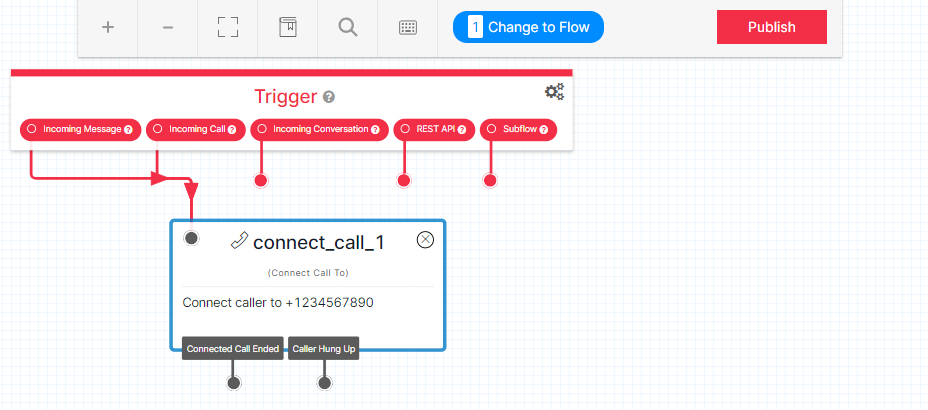
Login to Twilio.com and go to STUDIO > OVERVIEW > CREATE NEW FLOW then in the Widget Library choose CONNECT CALL TO and connect the line from INCOMING CALL + INCOMING MESSAGE to this widget. Enter your cell phone or home phone number so that one can receive any verification codes or calls instantly. Finally, click PUBLISH to save your changes (see below).
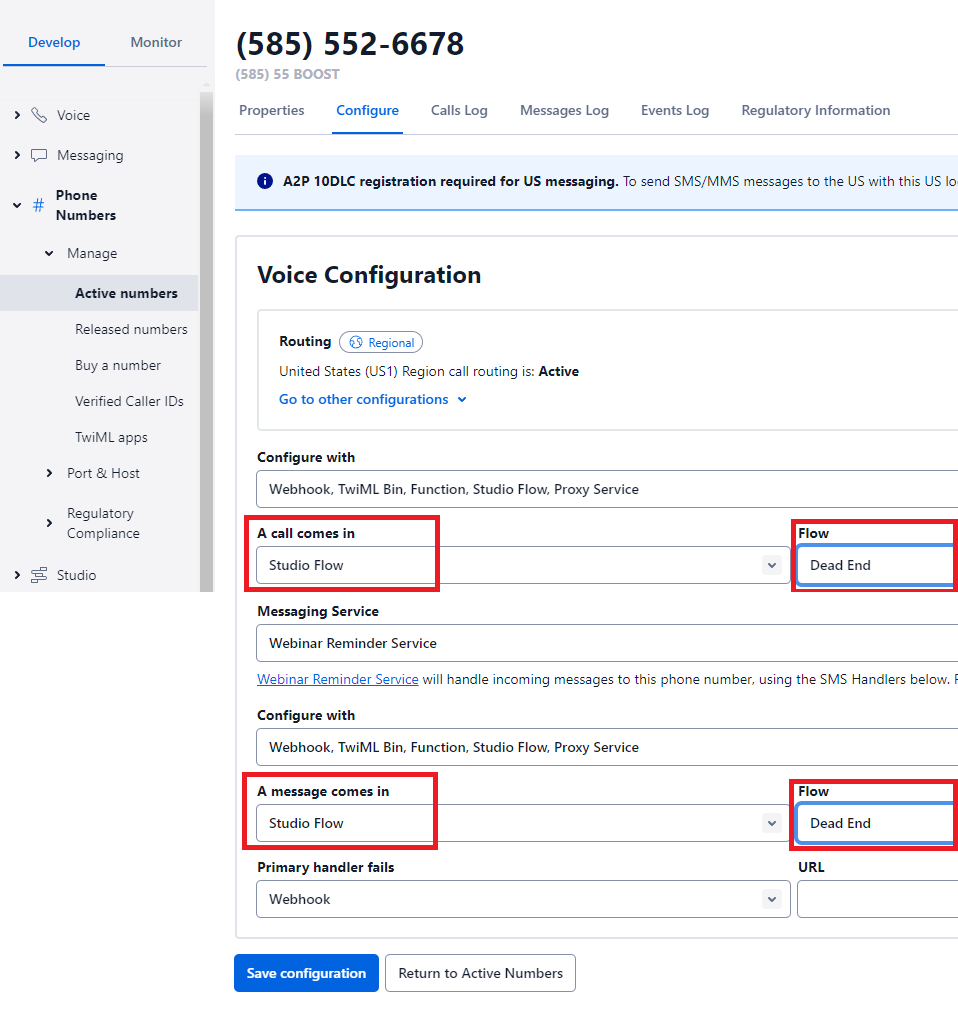
Once this is done, you'll need to choose this STUDIO FLOW for your phone number. Go to PHONE NUMBERS > MANAGE > ACTIVE NUMBERS and click on the number you'll be using this for. And select STUDIO FLOW for both "A Call Comes In" and "A Messages Comes In" options, then select the FLOW you just setup and named (see below).